DanpLab AI Workspace: Open WebUI, Ollama and Pipelines in a self-hosted environment
A Lab Note on the DanpLab AI Workspace: Open WebUI interface, Ollama backend, Pipelines to extend workflows, GPU monitoring, and a privacy-first checklist without exposing sensitive infrastructure details.
Why build a self-hosted AI workspace
Using AI in operational work doesn't just mean opening a chat and writing prompts. For a technical lab, an environment is needed where the interface, models, pipelines, automations, and monitoring are separated and verifiable.
The DanpLab AI Workspace project was born with this goal: to create a single access point to experiment with local models, external AI services when needed, custom pipelines, and operational integrations, while maintaining a clear distinction between what stays within the infrastructure and what can go out to cloud providers.
The choice is not ideological. Some workloads make sense locally, others require more capable remote models. The important part is knowing which path each request is using.
Main components
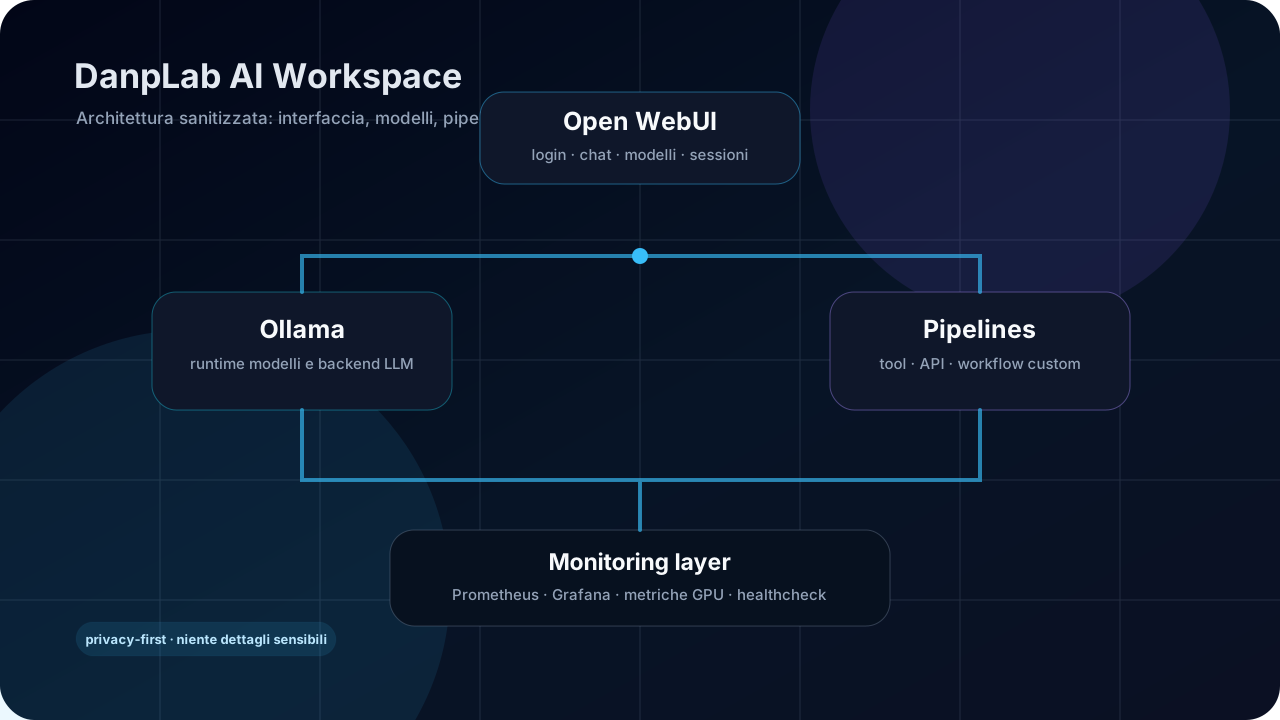
The architecture is intentionally modular.
Authorized user
  ↓
Open WebUI
  ↓
┌─────────────────────┬──────────────────────┐
│ Ollama              │ Pipelines            │
│ Models and runtime  │ Tools, API, workflow │
└─────────────────────┴──────────────────────┘
  ↓
Monitoring: Prometheus, Grafana, GPU metrics
Open WebUI
Open WebUI is the conversational front-end. It manages login, sessions, chat, available models, and user configurations. In the DanpLab project, it was customized with a login interface more consistent with the lab's identity: dark, sober, technical, and without generic visual elements.
Ollama
Ollama is the backend used to run and serve LLM models. It can work with local models or act as an integration point for compatible runtimes. In a homelab, it is useful because it allows quickly testing different models without tying the entire workflow to a single vendor.
Pipelines
Pipelines is the most interesting layer for transforming a chat into an operational environment. It is not the AI model: it is an extensible middleware.
It can be used to:
- create custom workflows before or after the model call;
- connect scripts, APIs, or internal services;
- apply routing logic between models or tools;
- prepare RAG experiments or document workflows;
- expose reusable functions from Open WebUI;
- separate the user interface from the operational logic.
In practice, Open WebUI is the front door, Ollama is one of the engines, and Pipelines is the layer that allows building custom behavior.
Monitoring and checks
A serious AI workspace shouldn't be a black box. The project includes monitoring with system and GPU metrics, so it's possible to understand when a model is actually using hardware acceleration, how much memory is being occupied, and whether a service is healthy.
This point is fundamental: it's not enough to say "it uses the GPU". It must be verified with metrics, logs, and container status.
Privacy: what stays local and what doesn't
The delicate part is privacy. A self-hosted environment improves control, but it doesn't automatically make everything local.
The correct rule is:
data stays local only when the selected model and pipeline work entirely within the infrastructure.
If a request uses an external provider, the content needed for the response can go out to that provider. For this reason, the workspace must make the difference between local models, cloud models, and automations that call external APIs clear.
In the public project, internal addresses, ports, keys, real paths, screenshots with private content, or sensitive configurations are not exposed. The Lab Note describes the architectural pattern, not the